Screenshots may show the Japanese interface. Button labels can differ depending on your app version and display language.
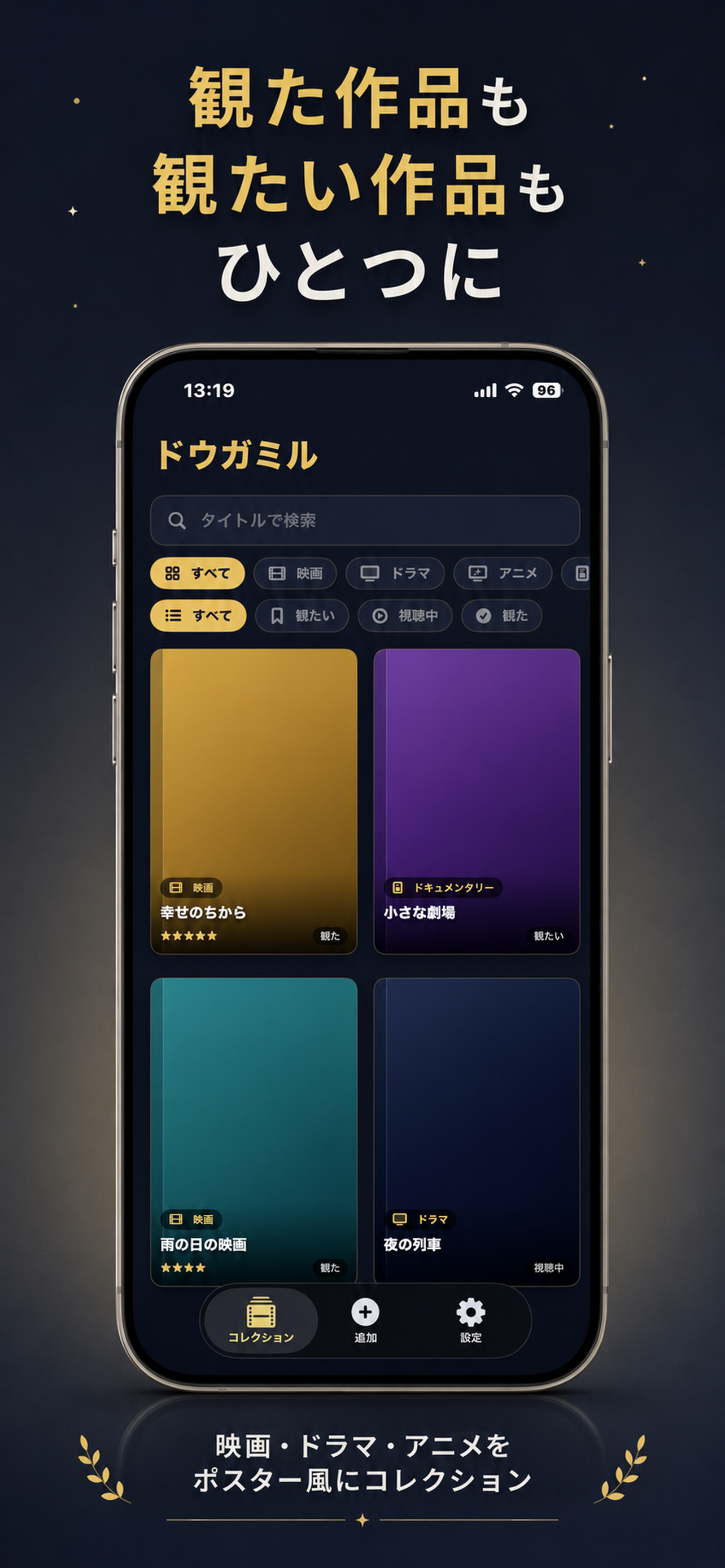
Organize what you watch
Use the reading-style status groups for films and series: Want to Watch, Watching and Watched. Check the status on each title before choosing what to watch next.
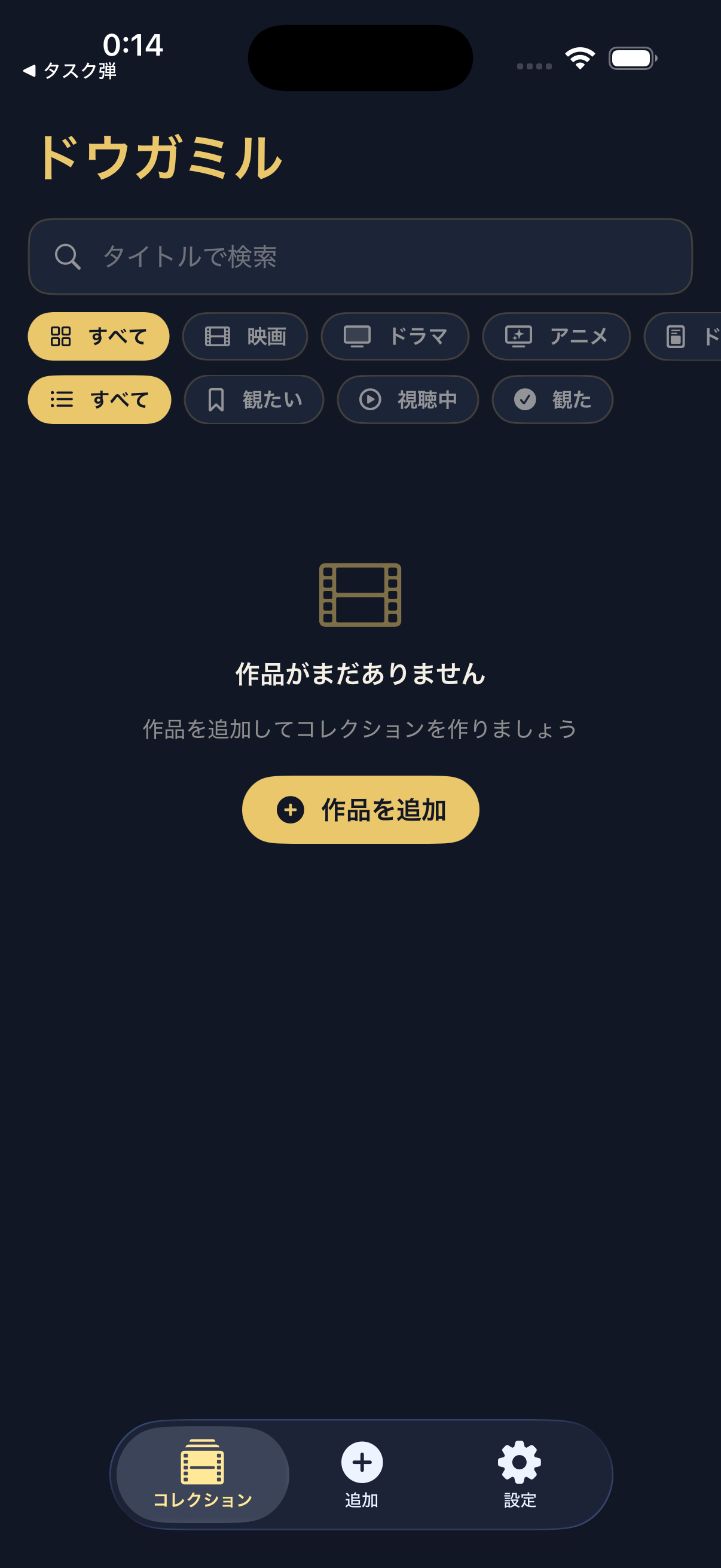
Find a title
Type a title in the search field. The first row of filters selects the type of work, and the second selects viewing status. Select All to clear either filter, then tap a poster to open its details.
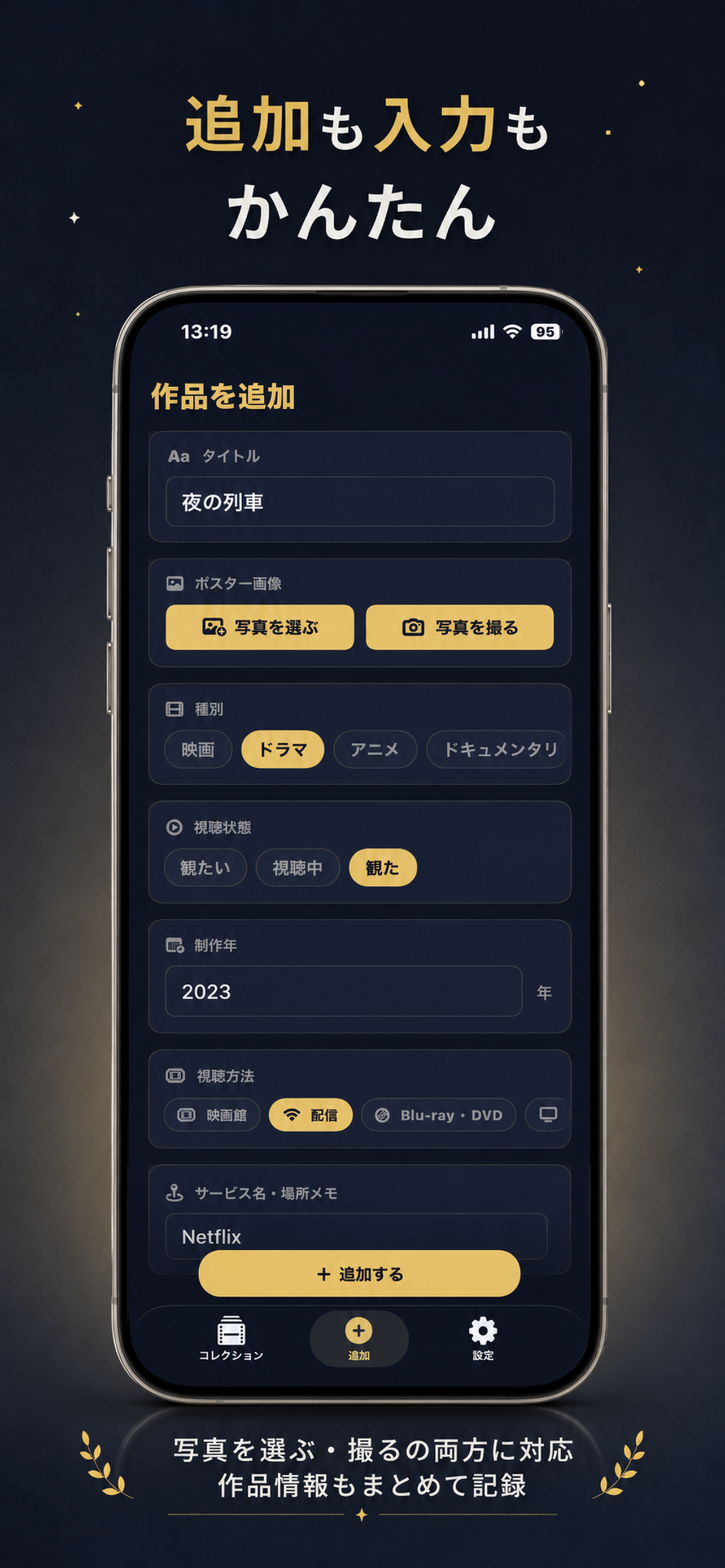
Keep ratings and notes
Open a work to check its poster and saved details. After watching it, add your rating or notes so you can remember what you thought.