Screenshots may show the Japanese interface. Button labels can differ depending on your app version and display language.
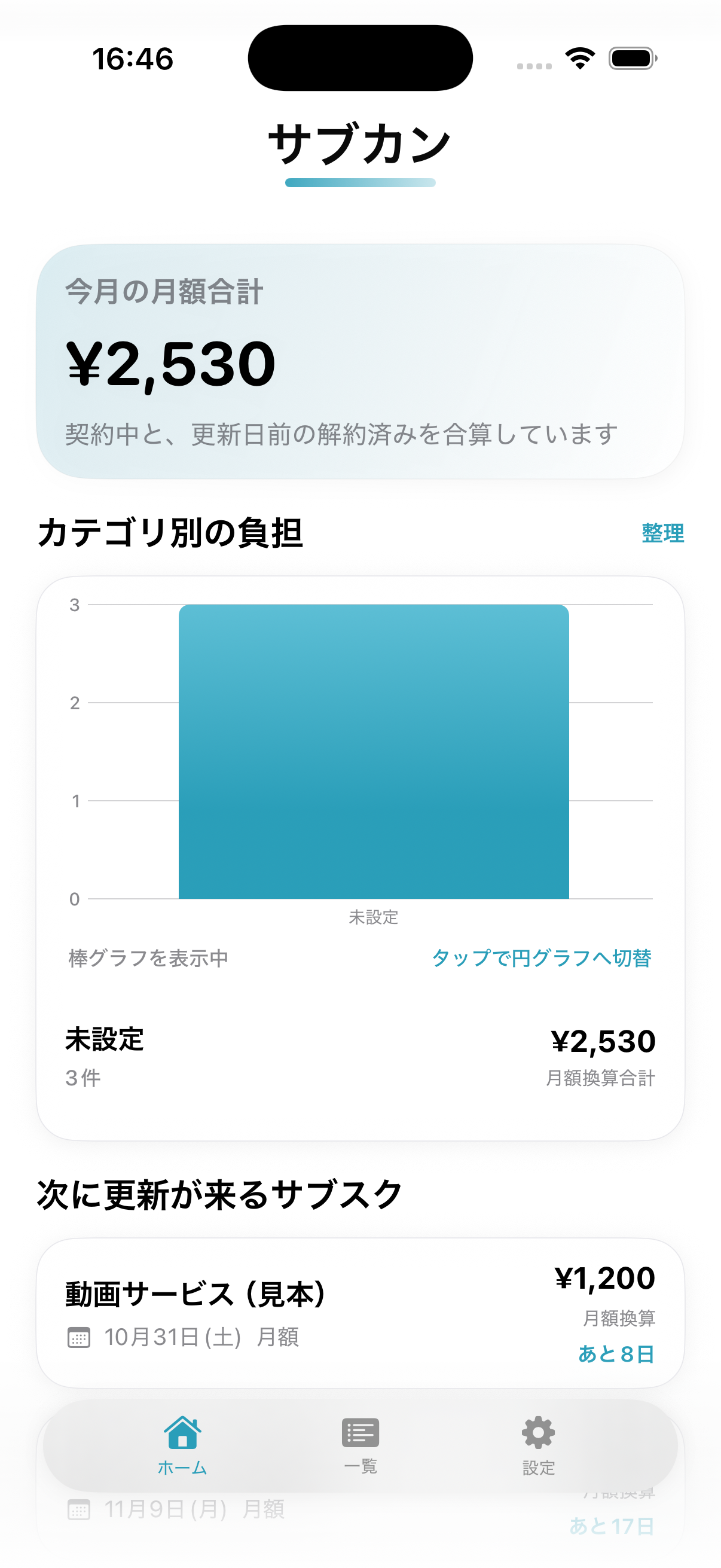
Review upcoming renewals
On Home, check this month’s total and the next subscription due for renewal. Open List to see individual services, charges and renewal dates.
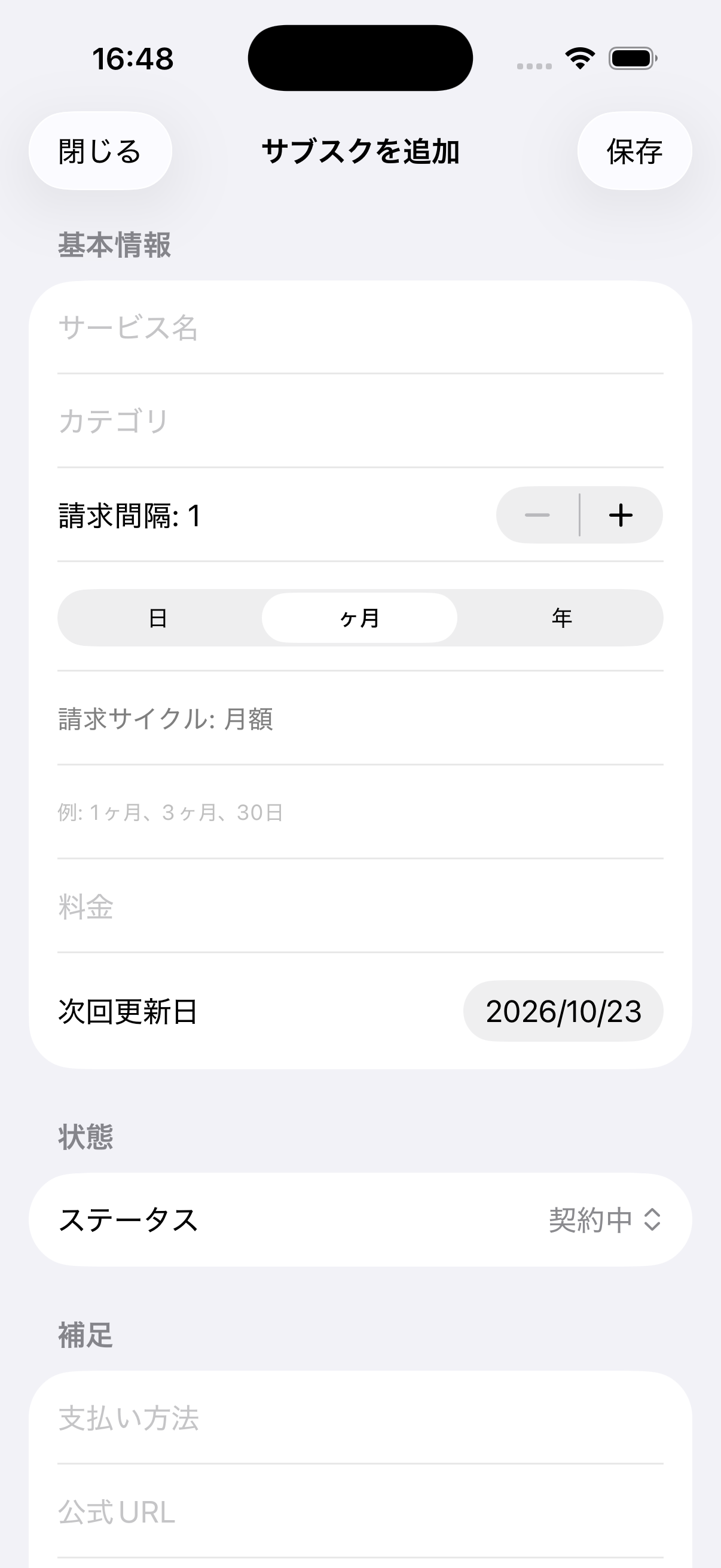
Add or update a plan
On List, tap the plus sign to enter a service name, price, billing cycle and next renewal date. Save the plan, or open an existing one and tap Edit to update it.
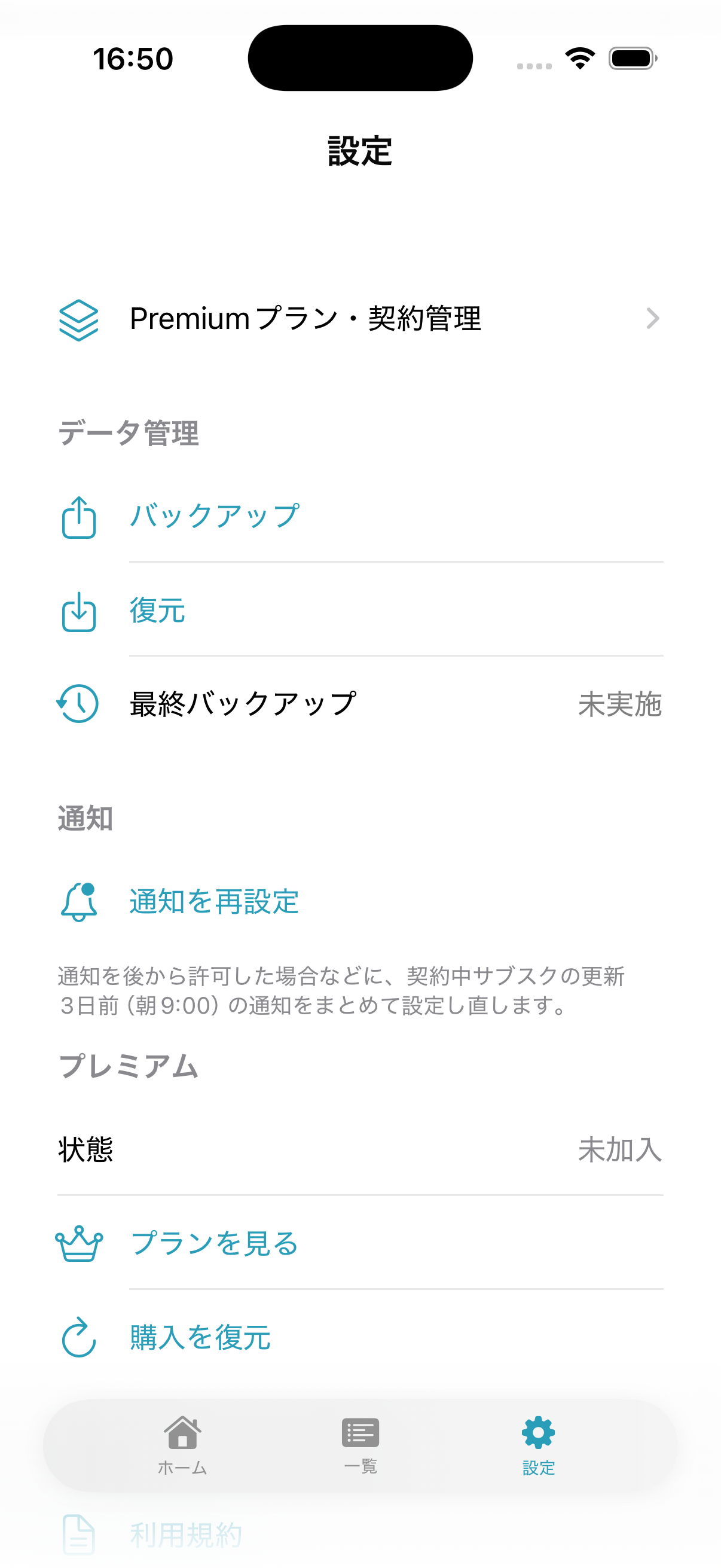
Back up before restoring
In Settings, export a JSON backup before importing a saved file. Restore replaces your current subscription records; check the file carefully before confirming. Treat Delete All Data as irreversible.