Screenshots may show the Japanese interface. Button labels can differ depending on your app version and display language.
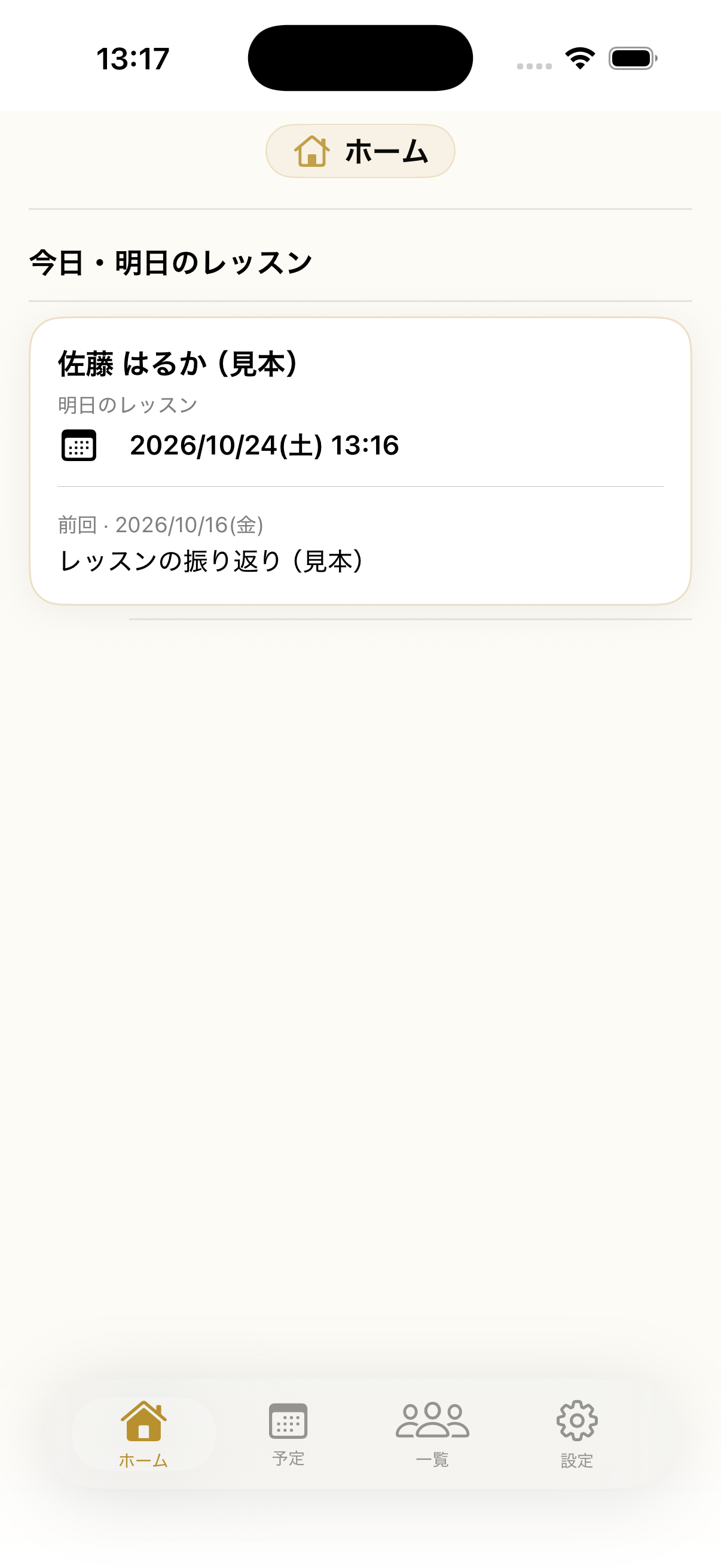
See today’s lessons
On Home, review today’s lessons and student names. Check the date and student before opening an appointment.
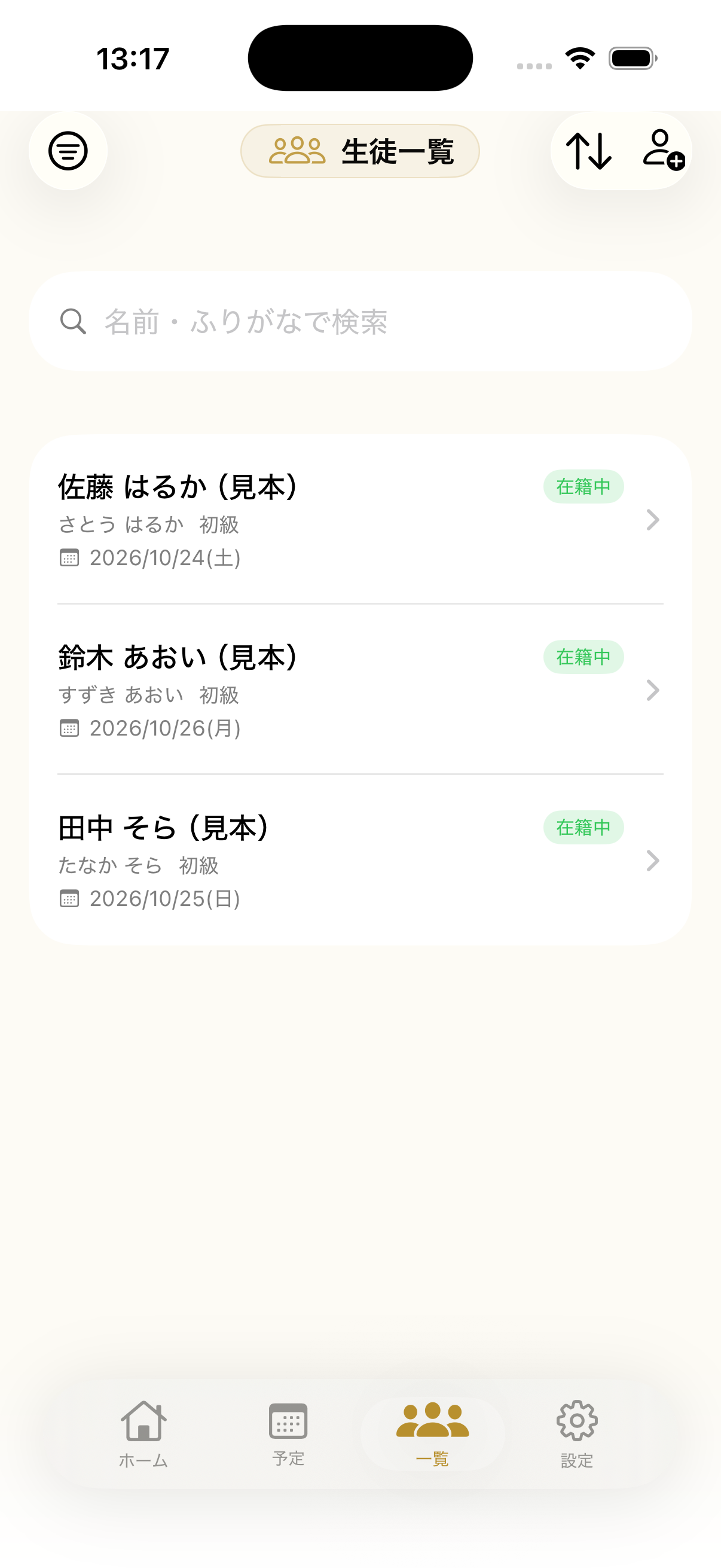
Find and update a student
Open Students, choose a student and tap Edit to update their details. Save your changes; use Delete Student only after checking the record.
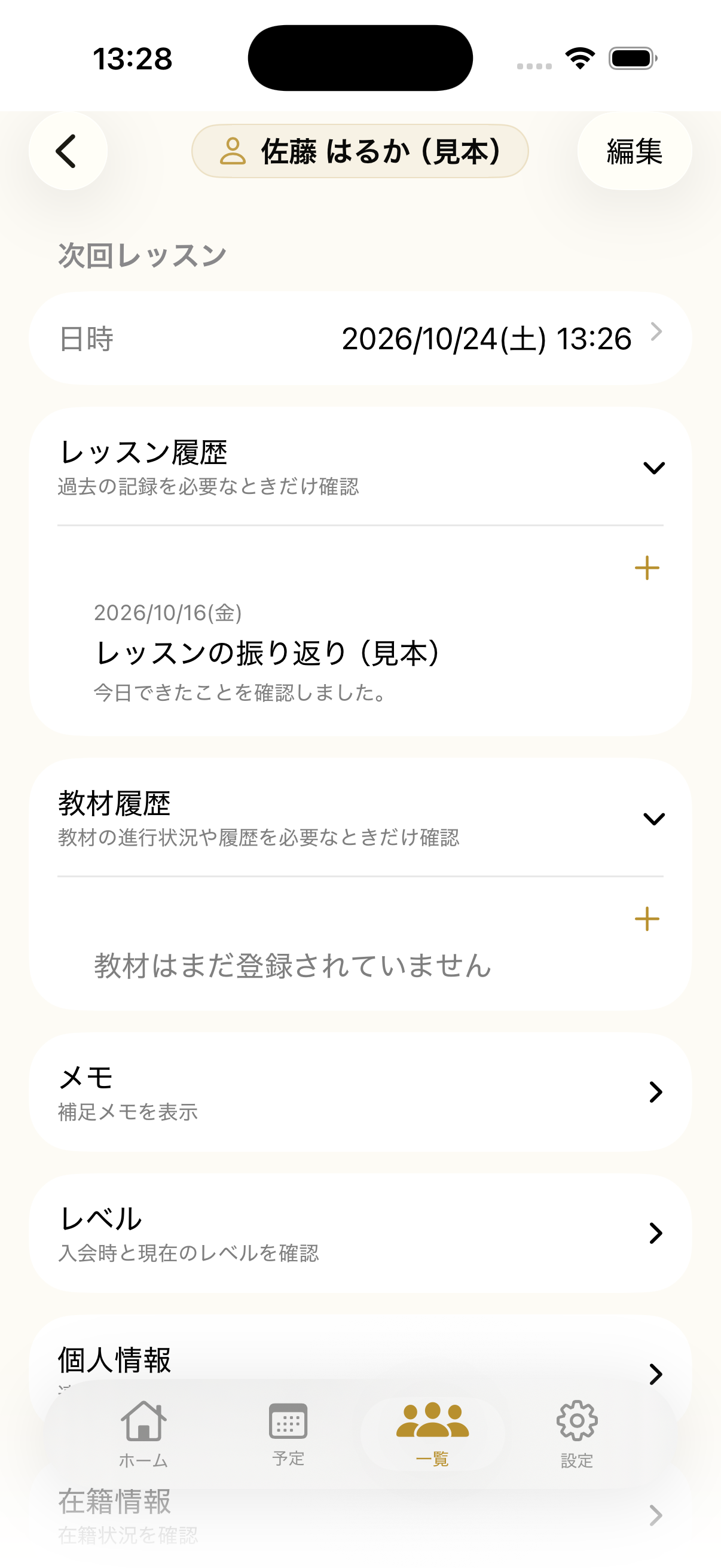
Keep lesson notes
In a student’s details, open Lesson History and tap Add to record a lesson. Review the date and contents before saving; check the correct entry before using Edit or Delete.
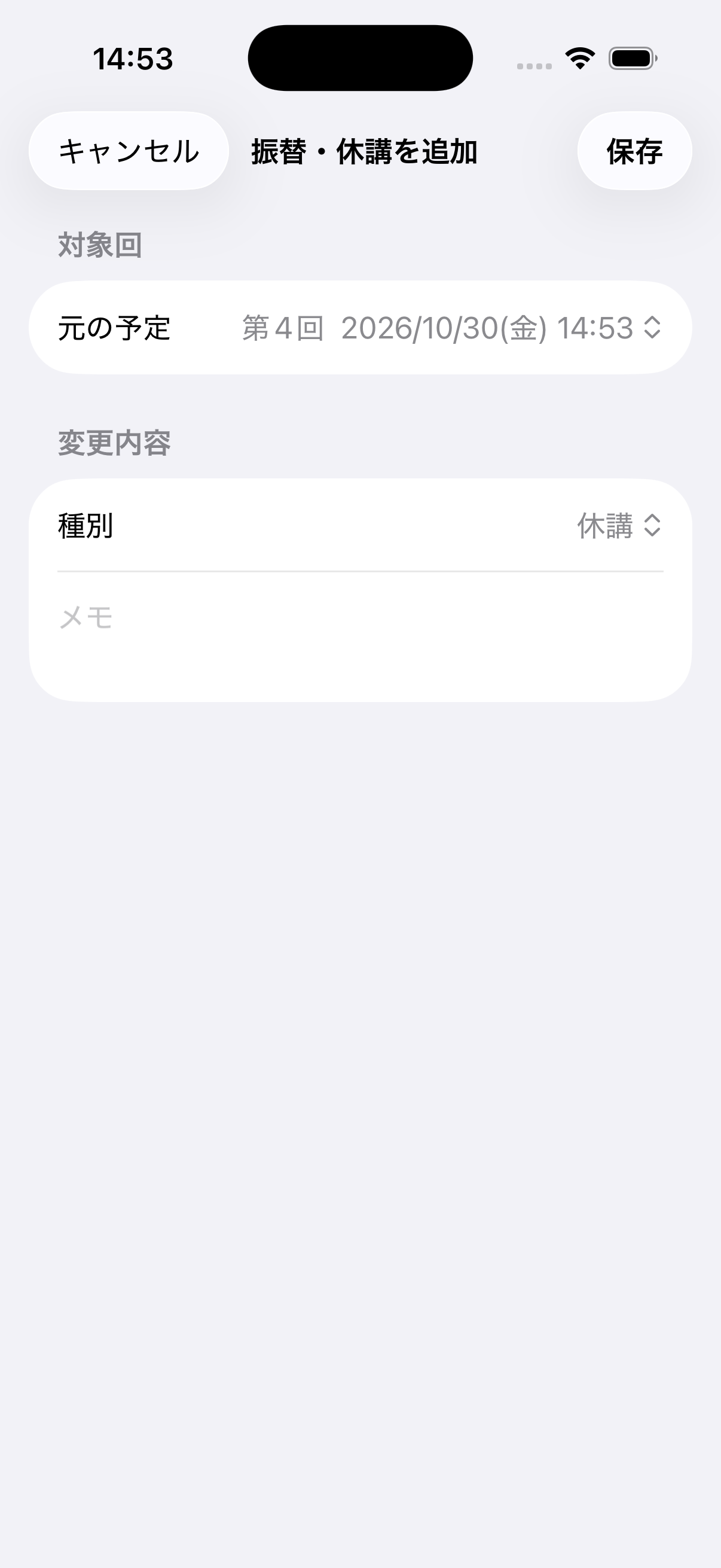
Manage lesson changes
In a student’s details, open Reschedules & Cancellations. Select the original lesson, choose cancellation or reschedule, set a new time when needed and save. You can cancel an existing change from the same section.